Tutorial
Follow these steps to start earning with PSP COP.
- 1
Create your account
Register with your Uganda mobile number and a login PIN. The invitation code is optional — you can join without one.
- •Tap Register on the login page.
- •Type your number starting with 07…
- •Choose a PIN you will remember, then tap Confirm.
- 2
Find your way around the home page
The home page is your control centre. The tiles open every tool, and the videos at the bottom are today's paid tasks.
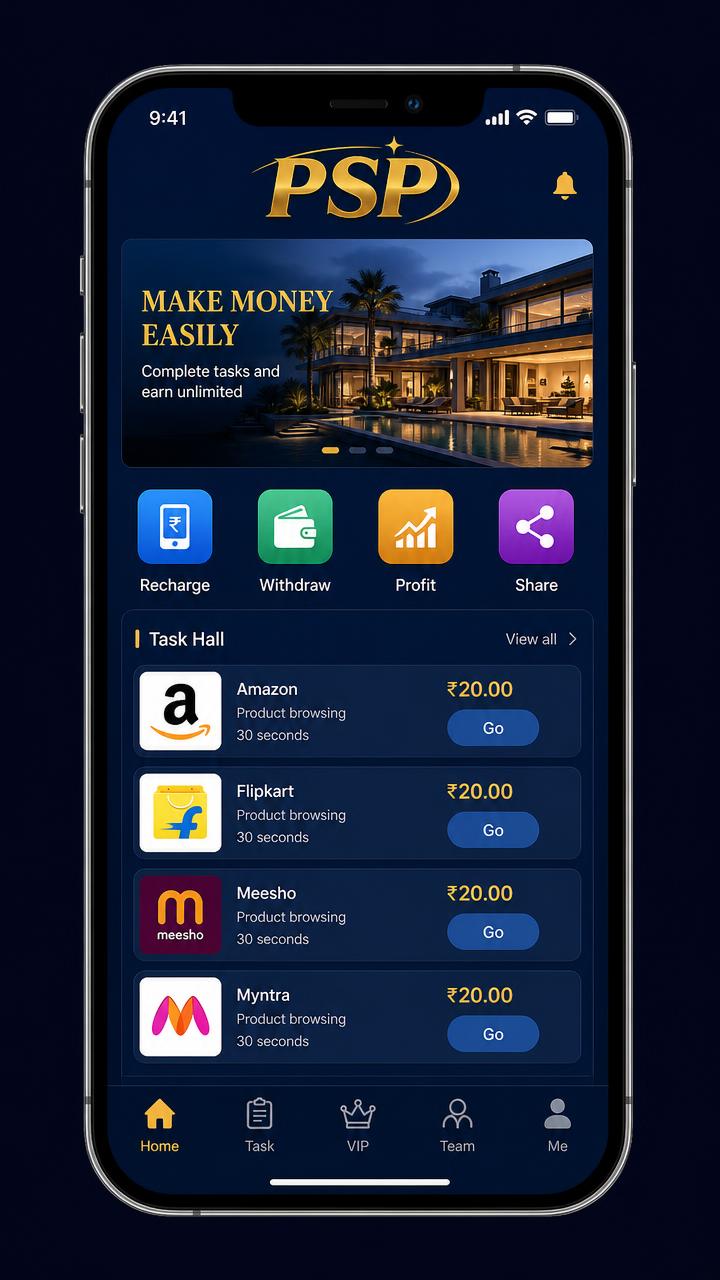
- •Recharge and Withdraw handle your money.
- •Profit, Share, Team and Lucky wheel track your income.
- •Scroll to the bottom for Today's videos and tap Watch.
- 3
Open the task page
The Task page groups your work into Doing, Audit and Completed so you always know what is left today.
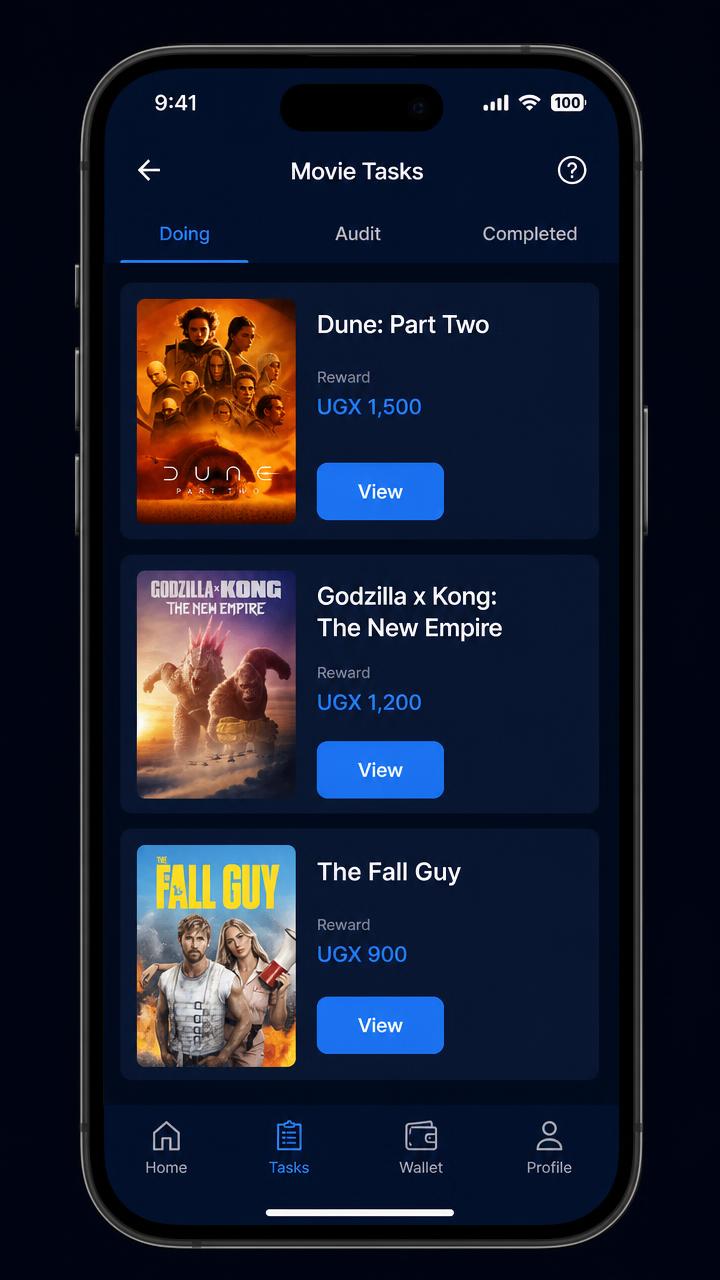
- •Doing shows tasks still available to you today.
- •Completed shows what you already earned from.
- •Tap View on any title to open it.
- 4
Watch for 6 seconds and submit
The video starts automatically. Keep it playing until the progress bar fills, then the submit button unlocks.
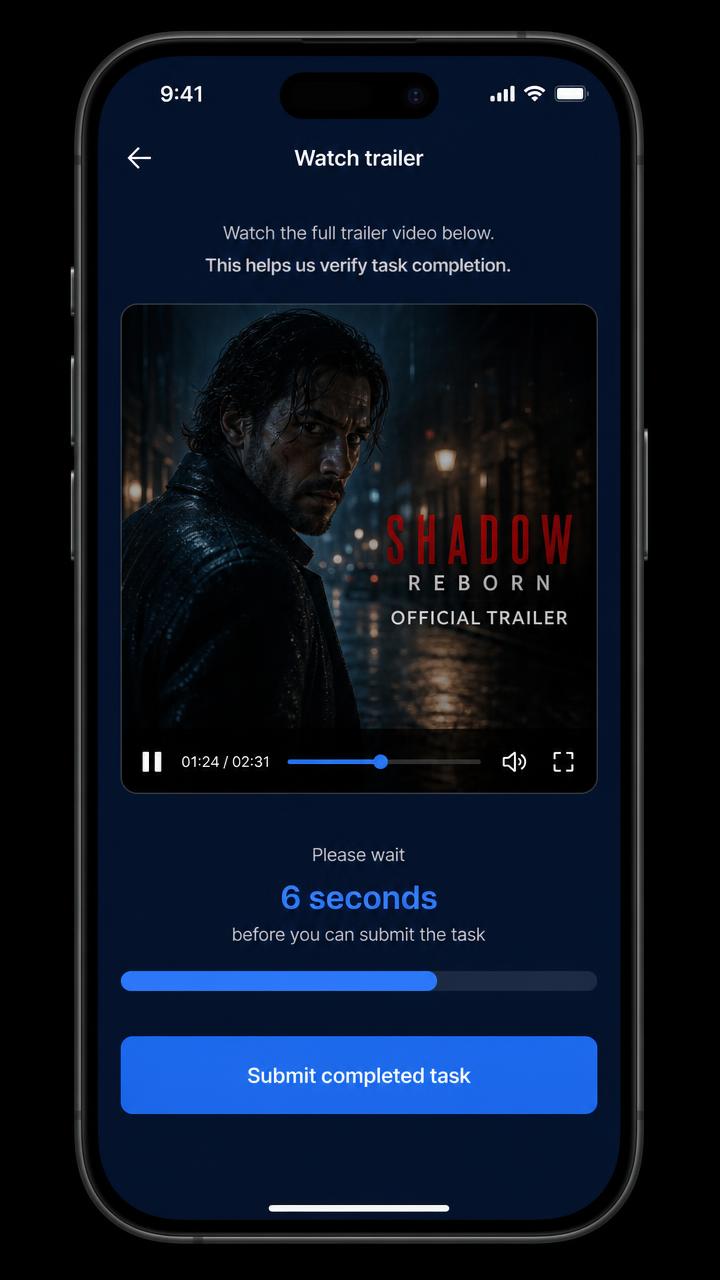
- •Do not close the window while the timer is running.
- •Tap Submit completed task when it turns blue.
- •The reward lands in your commission wallet instantly.
- 5
Withdraw to mobile money
Your commission balance can be sent to the mobile money number you registered with.
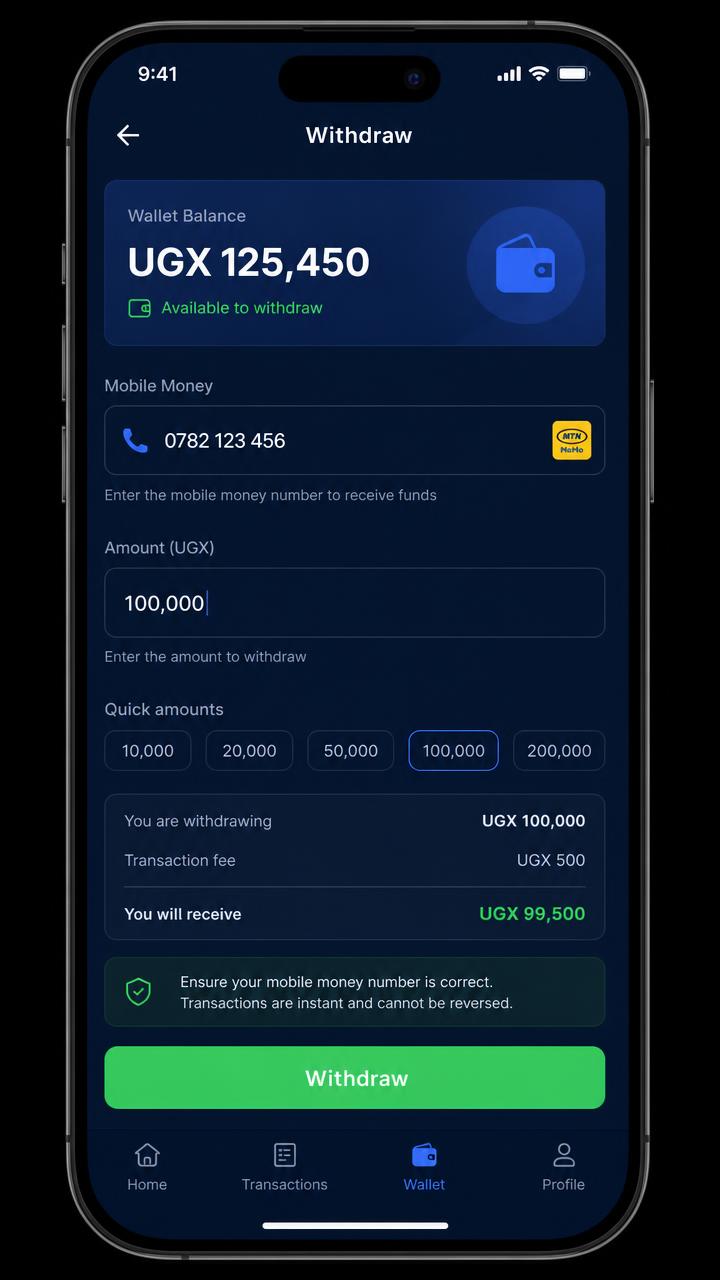
- •Open Withdraw from home or from your account page.
- •Enter the amount and confirm your number.
- •Each request is reviewed before the payout is released.
- 6
Grow your team
Share your referral link from the Share page. When friends join and complete tasks you earn invitation and team income automatically.